👑 Kingdom Appointment Planner
Maximize your Kingdom's Glory with Strategic Buff Management
In the high-stakes world of Kingdom vs Kingdom (KvK), timing isn't just everything—it's the only thing. The Kingdom Appointment Planner is a specialized strategic tool designed to synchronize your strongest players with the kingdom's "King's Buffs," ensuring every second of that 30-minute window translates into maximum points.
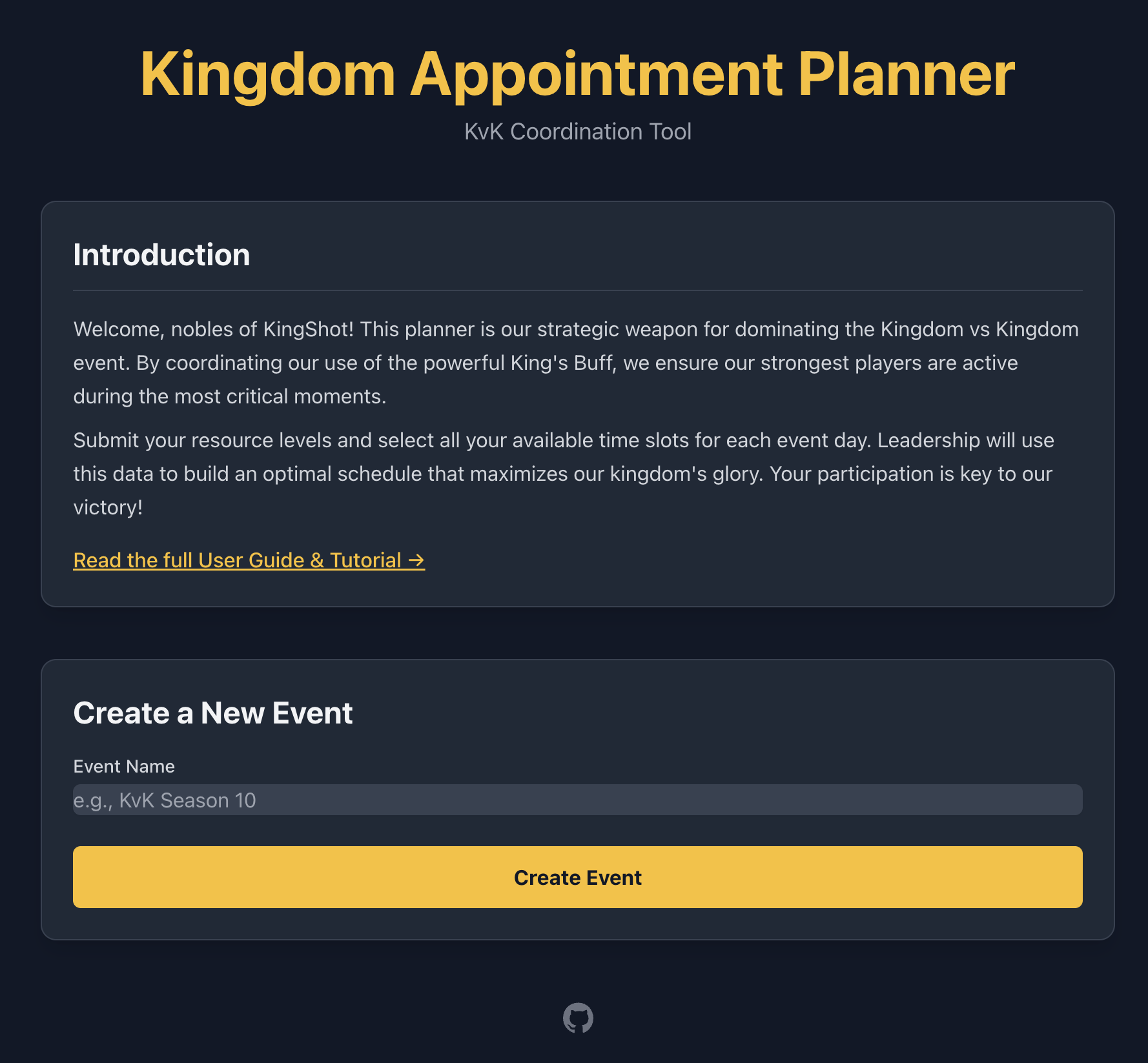
🎯 Why Use the Planner?
Managing a kingdom of hundreds of players manually is a nightmare. This tool automates the heavy lifting:
- Eliminate Spreadsheet Fatigue: No more manual data entry or juggling conflicting time zones.
- Optimal Resource Utilization: Our "Protected Greedy Algorithm" automatically identifies and assigns players with the highest potential point contribution.
- Fair & Transparent: Clear, publicly accessible schedules ensure everyone knows when it's their time to shine.
- Full Admin Control: Balance automation with manual overrides for high-priority VIPs or special circumstances.
✨ Key Features
| Feature | Description |
|---|---|
| Auto-Fetching | Players enter their ID; the tool fetches their name and avatar directly from the game! |
| Smart Scheduling | Prioritizes players based on Speedups, TrueGold, and availability. |
| Multi-Day Support | Independent schedules for Construction (Day 1), Training (Day 4), and Research (Day 2 or 5). |
| Update Submissions | Players can re-submit at any time; new entries automatically replace old ones to keep data fresh. |
| Verification System | Players can upload backpack screenshots for admins to verify resource claims. |
| Heatmap Analytics | Visualize alliance contributions and slot distribution at a glance. |
| Manual Overrides | "Lock" automated assignments or manually set specific players to specific slots. |
| Private Admin Suite | Secure, tabbed interface for full event management. |
| Superadmin Console | Global cross-event platform analytics, time filters (1w/2w/4w/all), KPIs, and directory with 1-click admin access. |
📸 A Visual Tour
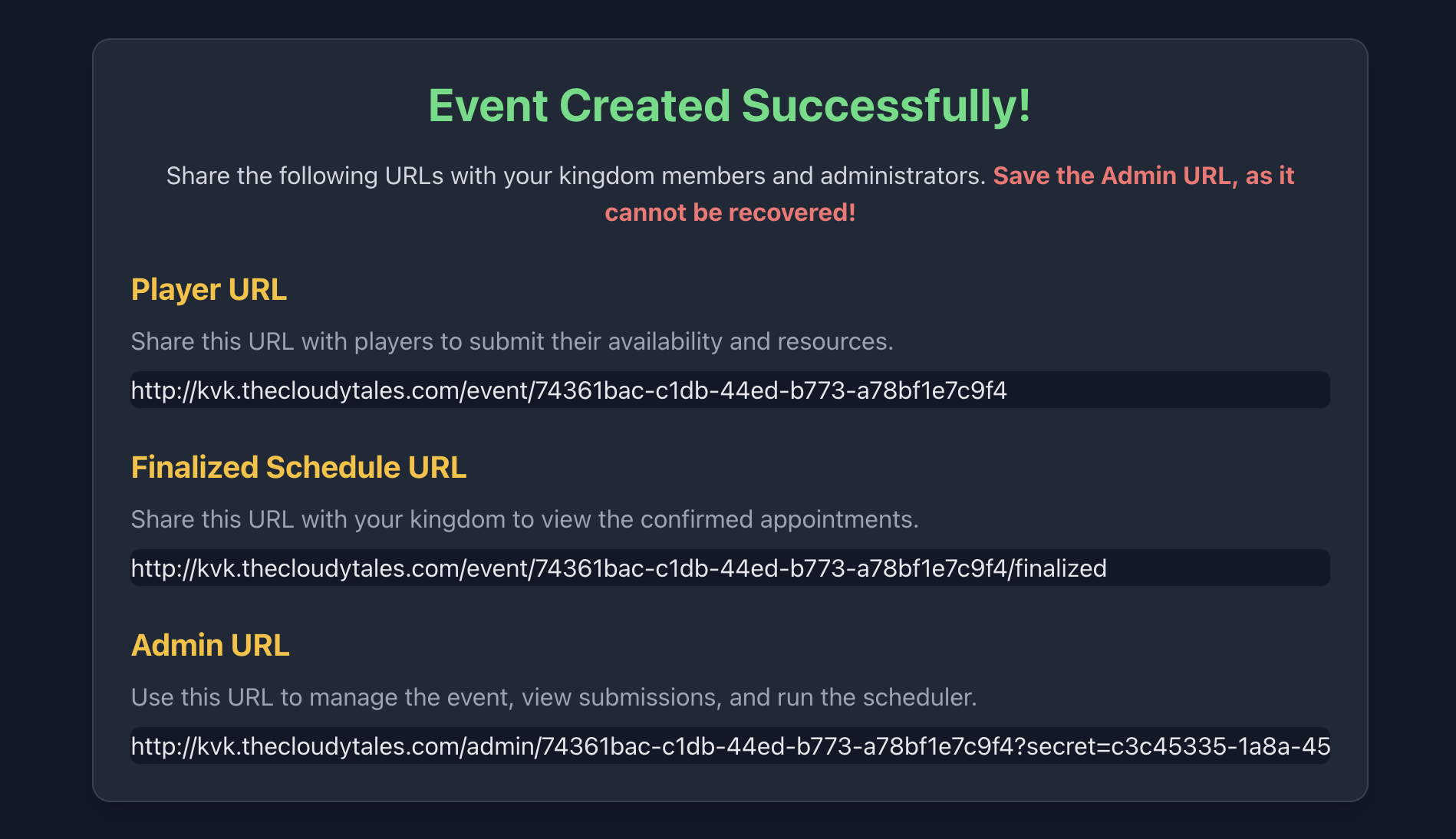
1. Simple Event Setup
Create a new KvK event in seconds. You'll receive three unique links: one for players, one for the public, and one (secret!) for you.
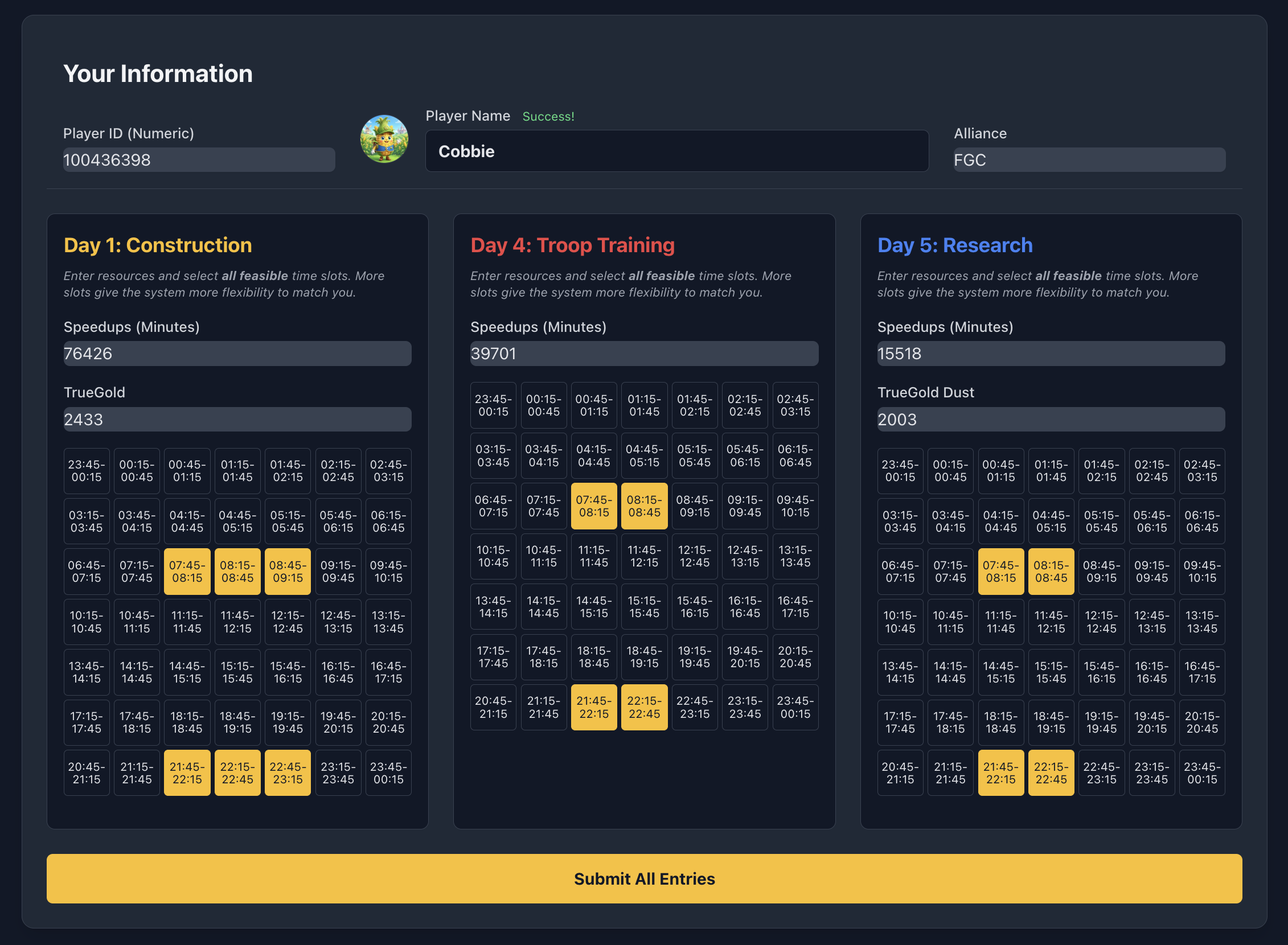
2. Player-Friendly Submissions
A clean interface where players can submit their resource levels and all feasible time slots across all three major KvK days. Tip: If your resource levels change, just submit again—your record will be updated automatically!
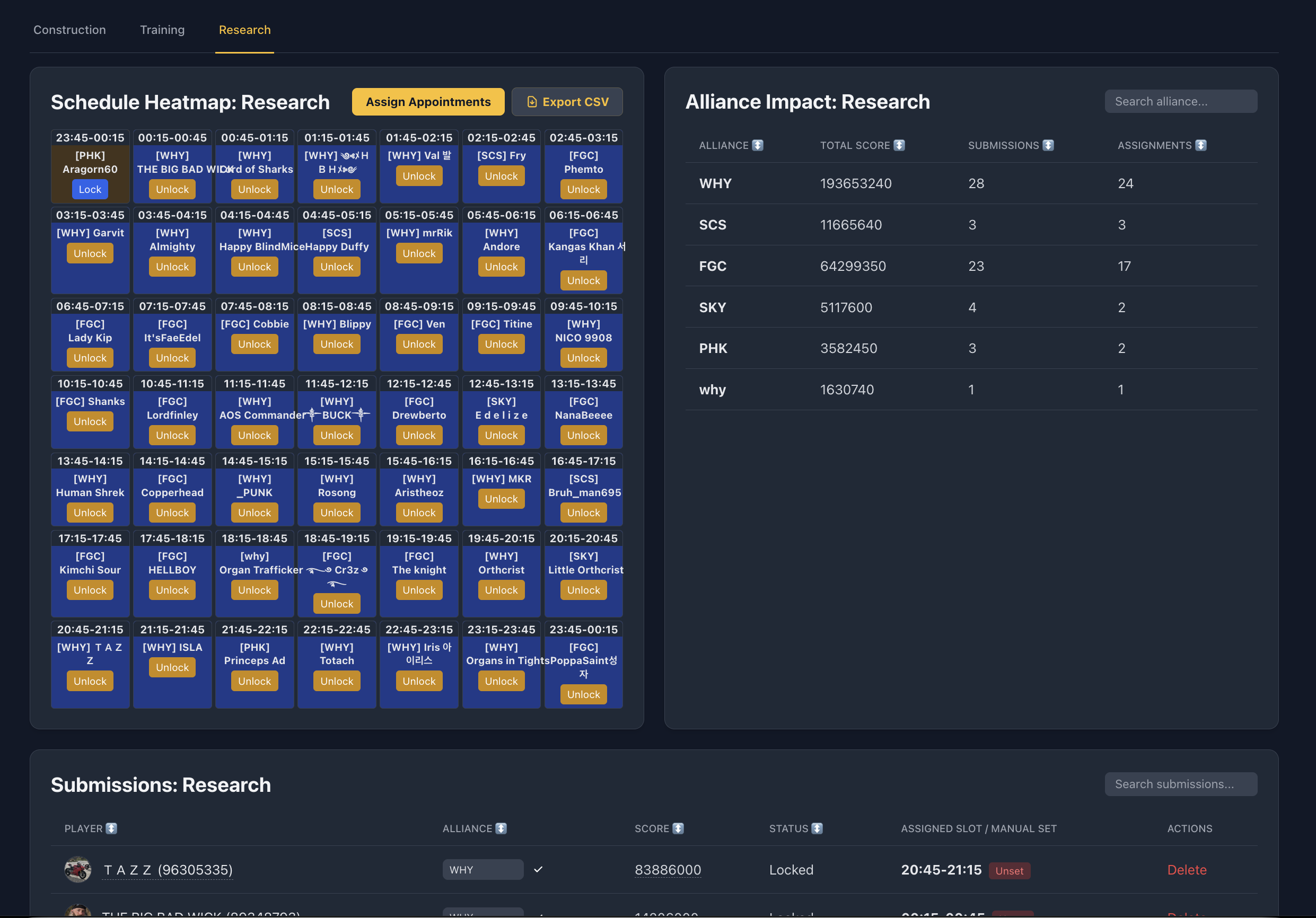
3. Powerful Admin Dashboard
See a live heatmap of your schedule and a breakdown of alliance impact. The "Assign Appointments" button runs our optimization algorithm in real-time.
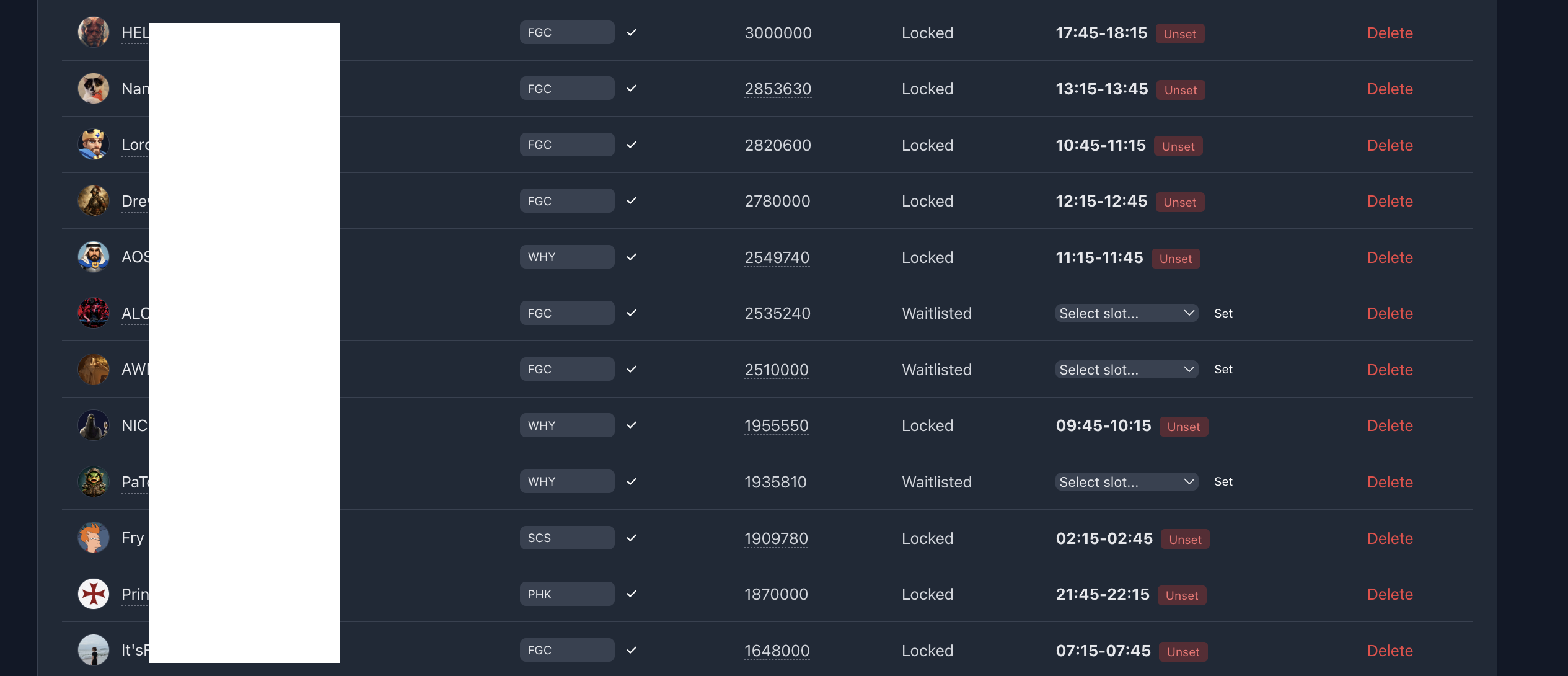
4. Precision Control
Need to make a quick change? Manually assign players or lock existing appointments to protect them from future auto-shuffles.
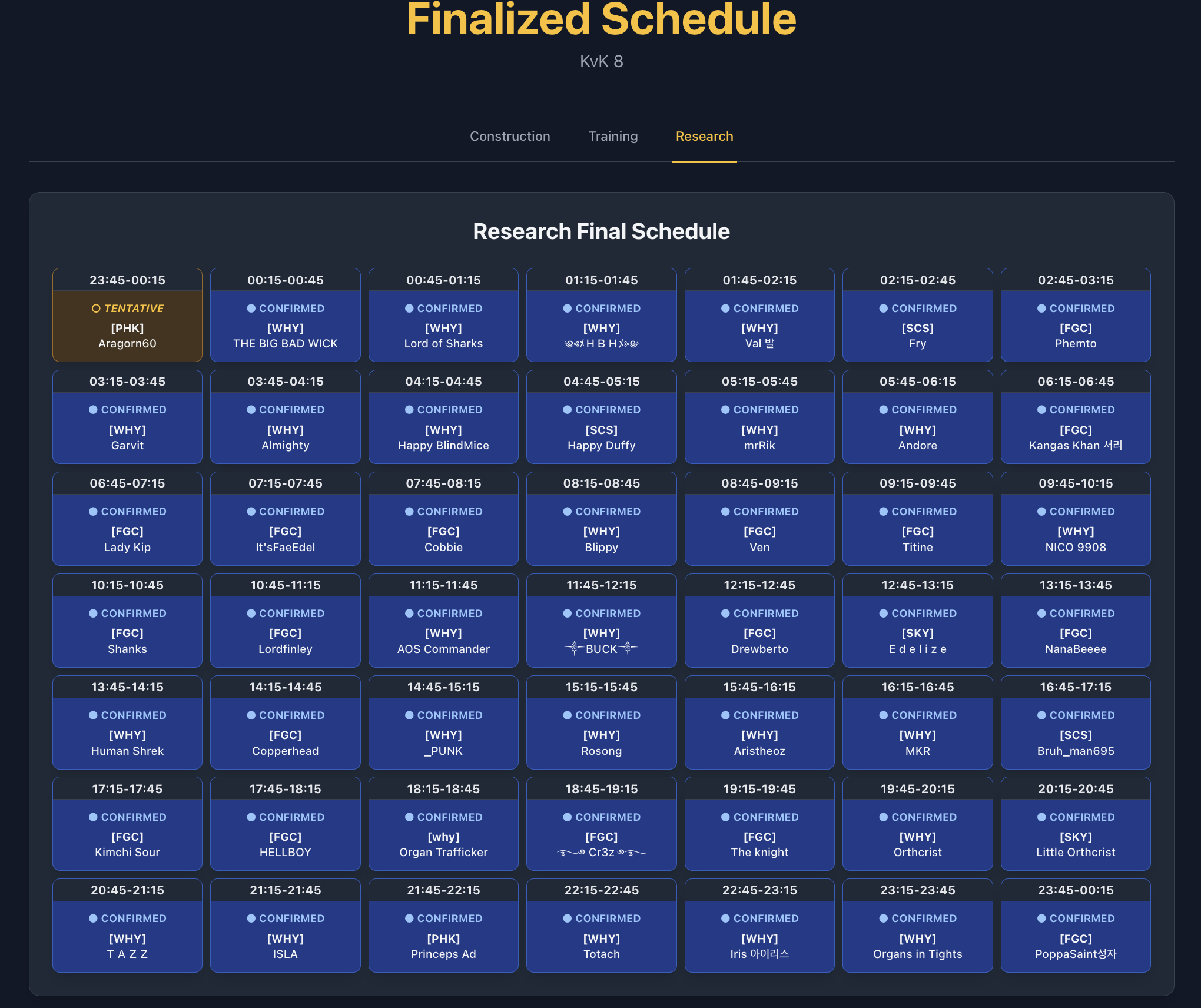
5. The Finalized Schedule
When you're ready, publish a beautiful, mobile-friendly schedule that the entire kingdom can access.
🧠 The "Protected Greedy" Algorithm
To ensure the Kingdom generates the absolute maximum points during KvK, the planner uses a specialized optimization strategy:
- Scoring: Every player is assigned a "Potential Score" based on their available speedups and rare resources (like TrueGold).
- Ranking: The algorithm sorts all submissions from highest score to lowest.
- Greedy Assignment: Starting with the highest-ranked player, the system searches for an open slot that matches the player's submitted availability.
- Protection (Locking): Administrators can "Lock" any appointment. The algorithm treats locked slots as immutable—it will never move a locked player, even if a higher-scoring player becomes available later. This allows leadership to guarantee slots for critical contributors while letting the algorithm handle the rest.
📖 Administrator's Guide
Step 1: Launch your Event
Give your event a name (e.g., "KvK Season 12") and select whether your kingdom runs Research on Day 2 or Day 5. Save the Admin URL—this is your private key!
Step 2: Data Collection & Verification
Share the Player URL with your kingdom.
- Verification: Encourage players to upload screenshots of their backpack. You can view these images directly in the Admin Dashboard to verify their resource claims.
- Live Updates: If a player earns more speedups, they can simply use the link again. The system recognizes their Player ID and updates their existing entry.
Step 3: Optimization
Click Assign Appointments. The system will fill the slots, prioritizing players with the most resources. Review the results, make manual tweaks if needed, and "Lock" the slots you are happy with.
Step 4: Go Live!
Share the Finalized Schedule URL. It's read-only and always reflects your latest locked/assigned appointments.
🚀 Quick Start (Docker)
The application is fully containerized for a one-command deployment.
- Clone the Repository:
git clone https://github.com/prashmohan/kingdom-appt-planner.git
cd kingdom-appt-planner
- Configure Environment Variables:
cp .env.example .env
# Set a custom SECRET_KEY and SUPERADMIN_SECRET
- Launch with Docker Compose:
docker-compose up --build -d
- Access the App: Open your browser to
http://localhost:12348. - Superadmin Console: Visit
http://localhost:12348/superadmin?secret=<YOUR_SUPERADMIN_SECRET>.
💾 Maintenance & Backups
Keep your data safe with our included utility script:
- Backup:
./scripts/db_util.sh backup - Restore:
./scripts/db_util.sh restore backups/planner_backup_TIMESTAMP.db
🛡️ Security & Access Control
- Event Admin URLs: Each event has a unique secret key (
/admin/<uid>?secret=<admin_secret>). Treat it with care—anyone with this link has administrative control over that event. - Superadmin Console: Access to
/superadminis governed bySUPERADMIN_SECRET. It uses session-based authentication and sanitizes the secret from URL history after login. Individual event admin keys cannot access the superadmin interface.
Built with ❤️ for the KingShot community. Dominate your KvK! ⚔️